Electronics can be a rewarding hobby. Not only is electricity fun, but if you learn enough, you might be able to repair broken gadgets around your home instead of replacing them.
Of course, getting that far requires a fair amount of practice.
There are plenty of ways to learn electronics, but most people don’t want to buy a breadboard, some LEDs, capacitors, and wire and just see what happens.
These starter kits give you a goal to work toward and help you learn electronics in a practical setting. They’re all also relatively cheap which means you can buy more than one!
Related: Impressive nerdy LEGO sets for adults
1.DEYUE 398 Arduino Electronic Starter Fun Kit Bundle
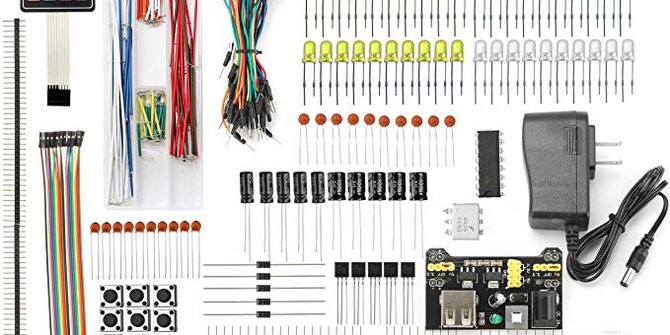
It used to be the most you could expect out of an electronics kit was to turn on a few LEDs. Okay, yes, in your early hours, that’s still what you’re going to be doing, but at least in this case you’ll be using a tiny single-board computer to do it.
While it has Arduino in the name you can use most of the components in this kit with either an Arduino or a Raspberry Pi.
You get a breadboard for connecting components as well as an assortment of LEDs, capacitors, resistors, potentiometers and even a membrane keyboard with number keys for input.
2.SparkFun Inventor’s Kit v4.1
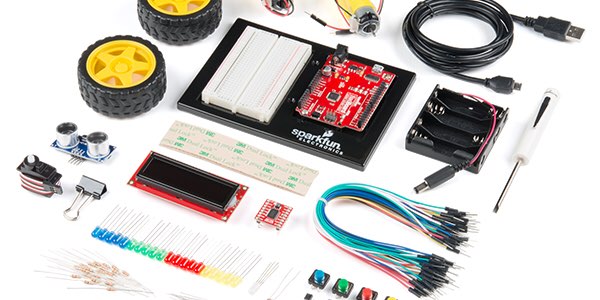
The most expensive kit on this list at $99.95, the SparkFun Inventor’s Kit includes everything you need. While other kits let you supply the computer board, this one includes an Arduino-compatible RedBoard Quiic that you can program using the Arduino IDE.
Not only does this kit come with plenty of hardware, but it includes an experiment guide. This lets you get started right away without having to scour the internet looking for information on how to actually do something with your kit.
3.SunFounder Super Starter Learning Kit V3.0
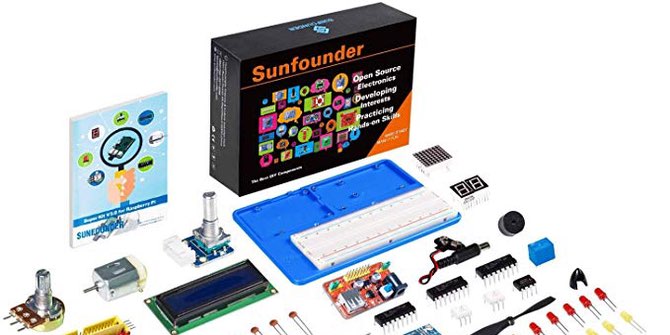
If you’ve got a Raspberry Pi around and are looking to get into some nerdier projects with it, this kit may be perfect for you.
The kit includes a project board, seven-segment display, rotary encoder and more, plus a 40-pin GPIO cable to connect it to your Raspberry Pi. Along with the hardware you get 17 projects included to get you up and running.
While you’re free to write your own code, the kit comes with ready to run C and Python code to see how everything works before you tear it apart and start working on your own projects!
4.SparkFun Simon Says
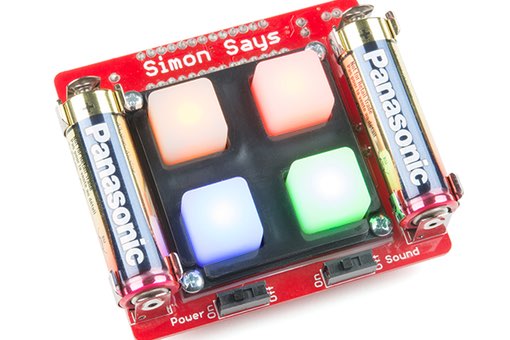
So far, the kits on this list have focused on breadboarding, which is an easy way to build and understand circuits. Tear open your alarm clock though, and you won’t find a friendly bread boat.
That’s where this kit comes in handy as it is meant for learning the ins and outs of soldering through-hole connectors.
You’ll need your own soldering iron, wire cutters, and solder, but these are all things that will come in handy later on in your other electronics projects.
SparkFun says that even for beginners with no soldering experience, assembling the kit can take around half and hour.
5.Fundamentals Of Electronics LAB #1 (40 in One Kit)
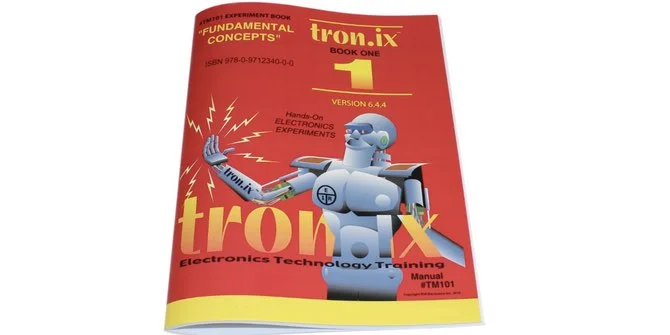
If you’re looking to develop a true understanding of electronics, this might be the best kit on this list for you.
While it does include components, the real heart of this kit is the manual, which includes over 40 documented projects, each of which helps you learn a different aspect of electronics.
Some of the things you’ll learn include how to measure voltage, how resistors work in series and in parallel and what Ohm’s law is. Using the kit you can build a burglar alarm, morse code oscillator, electronic organ, and more.

3D printing is an exciting hobby to get into, one that’s dripping with creative potential. But it’s definitely not a cheap hobby.
Even with the dramatic drop in cost of 3D printers over the past few years, you’ll still need to invest hundreds of dollars if you want to start 3D printing stuff at home—and that’s just the cost of starting up.
Maybe you don’t have the money to acquire your own 3D printer, or maybe you don’t have the time to learn the ins and outs of the materials and techniques to make sure your prints aren’t duds.
For some, it’s actually more cost effective to use an online 3D printing site than to buy your own setup, especially if you only have a few items to print. (It can take many, many prints to break even on a 3D printer.)
Here are the best online 3D printing sites where you can upload the file you want to 3D print, select the materials and specs, and have them ship the finished product out to you.
Most importantly, make sure to shop around and get multiple quotes from these sites so you get the best price. Depending on your print specs, one site may be significantly cheaper.
5.3DExperience Make
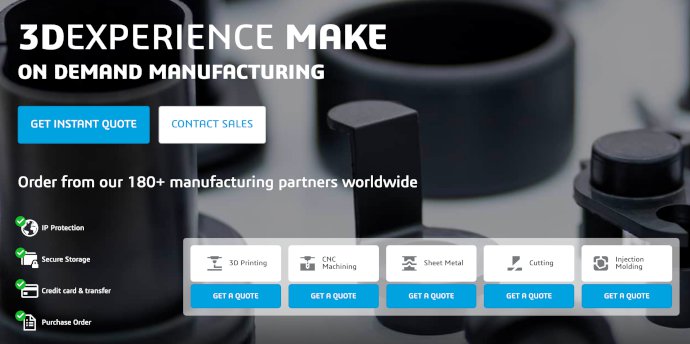
Regardless of the size of your project, 3DExperience Make should probably be your first place to check when shopping for price.
3DExperience Make boasts partnerships with 3D printing manufacturers from around the world, so there’s a good chance you’ll be able to find one relatively near you (which can help keep shipping costs down).
If you expect to use their services often, you should consider using their provided software package that lets you view your print job at any time and view it’s progress until it’s done.
The downside to 3DExperience Make is that it’s really just a middleman who find and manages 3D printing connections for you, so they’re better equipped for handling large orders than small, one-off print jobs.
That said, with so many potential manufacturers in their network, you’ll likely be able to find one who has the capacity—big or small—to handle your print job at a reasonable price.
Related: The Best YouTube Channels for Learning New Hobbies & Skills
4.i.materialise
Don’t confuse i.materialise with Materialise. Whereas Materialise is a large company who works with clients to produce industrial-scale 3D printed products, i.materialise is their service for hobbyists.
i.materialise specializes in smaller-scale projects where you only need to 3D print a handful of items rather than thousands. (If you’re more interested in the latter, definitely check out Materialise instead.)
Despite servicing hobbyists, i.materialise’s 3D printers can print using more than 20 different materials, meaning you’ll almost certainly be able to find what you need for your specific print job.
3.Sculpteo
Sculpteo offers plenty of material options to choose from, with the added benefit of worldwide shipping and being able to get an instant quote for your item as soon as you upload your file.
They offer support at every step of the process, from the design concept phase to choosing the right material and finish for your final product.
Sculpteo’s best feature is its library of free online learning materials that teach you everything you need to know, from how 3D printing works to prepping your 3D print file, from choosing the right materials to the various applications for which 3D printing can be useful.
2.Shapeways
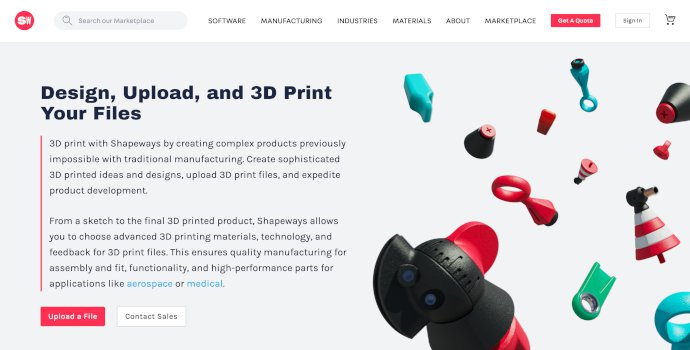
While all of the 3D printing sites on this list can print and ship your own 3D models, Shapeways additionally offers base models to choose from, which you can customize to suit your needs.
They have hundreds of templates to choose from that you can tweak until they’re just right, then have them printed and shipped.
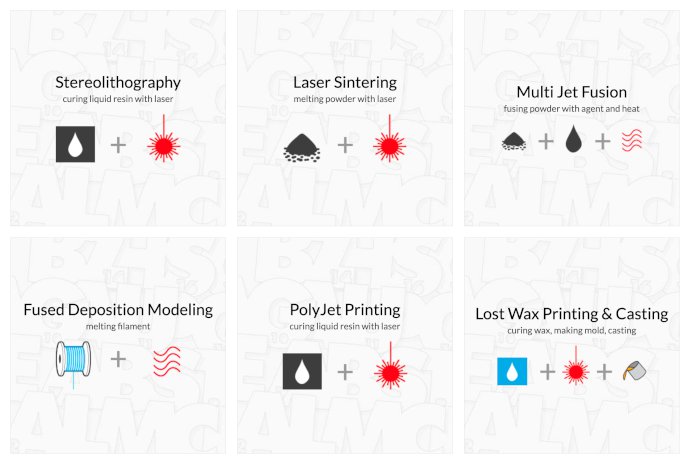
Of course, Shapeways offers multiple different printer technologies to choose from. From thermoplastics to resin to metal casting, you can pick the perfect material for your use case.
The pricing will vary wildly depending on the complexity of your print job and the material(s) you choose, but there are enough options that you should be able to find one that fits your budget.

Related: The Best Subreddits for Geeks: Useful Geeky Communities Worth Joining
1.Xometry
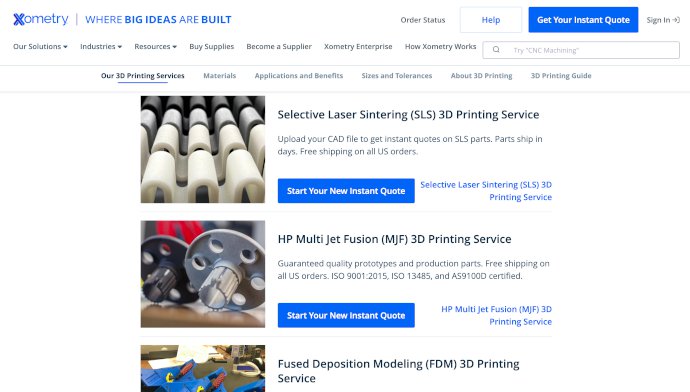
If you need a large number of items 3D printed and shipped, then look to Xometry , who’s partnered with 3D printing manufacturers across the US who can produce large-scale product runs at an effective cost.
While Xometry can do smaller projects and print runs, they specialize in larger runs. By pairing you up with a best-fit manufacturer, they can leverage economies of scale to get you the best deal.
Just like the other online 3D printing services on this list, Xometry offers numerous materials and printing techniques, and they offer the best rates on metal casting options (thanks to their industrial specialization).
If you need over 1,000 small metal items 3D printed and shipped, you should definitely get a quote from them.
Even if you’re far from having the skills of an electrical engineer, you shouldn’t feel intimidated by soldering. Once you learn how to solder and start practicing, you’ll realize that it’s actually quite simple.
Soldering is the perfect nerdy hobby. It requires precision, patience, and almost always creates a satisfying result. These are just some of the reasons why you should pick up soldering as your next hobby.
What Is Soldering?
In short, soldering is the process of using a soldering iron to melt solder onto another surface. Solder melts quickly when heated, and cools almost instantly. This makes it ideal for creating bonds, especially in the world of electronics.
Why You Should Start Soldering
As you look up soldering tutorials, don’t let all the technical jargon turn you off. It might sound boring to you, but I promise that it’s nowhere near lackluster. The below reasons were enough to convince me to start, so they should convince you too!
1. Customize and Repair Your Controllers
Have you ever wanted to change the plain white light that shines underneath your Xbox One controller’s home button? With soldering, you can easily switch the boring white LED with something a little more colorful.
Soldering isn’t even the hardest part of this process—taking apart the controller and putting it back together is half the challenge. You can change (or add) LEDs in just about any controller, but it varies in difficulty depending on which controller you want to mod.
Soldering comes in handy for repairing your controllers as well. For example, you can pull off a joystick replacement on an Xbox One controller while just knowing the basics of soldering.
2. Work on Retro Consoles and Games
You start playing a game on your old-school GameBoy, only to find that it doesn’t save your game anymore. Just about everyone has experienced this situation, and has pretty much given up on their game in the process.
But when you learn how to solder, you don’t have to give up on your favorite game. Simply buy a replacement save battery, open up your GameBoy cartridge, solder the new battery on, and you’re all set.
You can perform basic repairs on other retro consoles too. This skill definitely comes in handy when you want to get your old systems up and running again.
3. It’s Cheap to Get Started
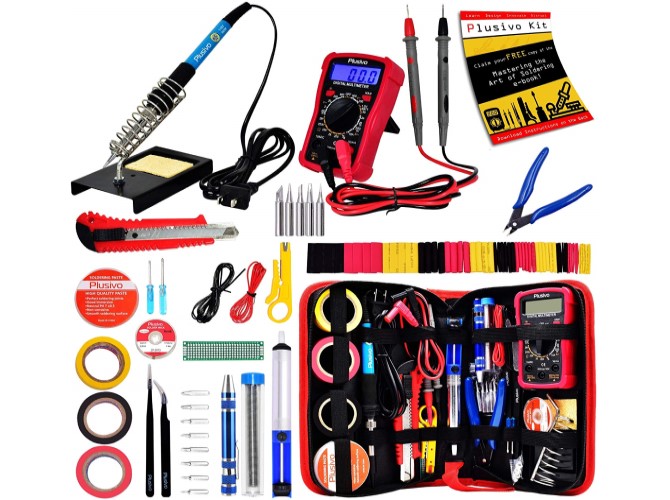
One of the best parts about having soldering as a hobby is that it doesn’t cost much. The Plusivo Soldering Iron Kit includes everything you need to get started, and it costs under $50.
When you run out of solder, you’ll have to buy more of that too—thankfully, solder doesn’t cost a fortune either.
4. Gateway to More Advanced Projects
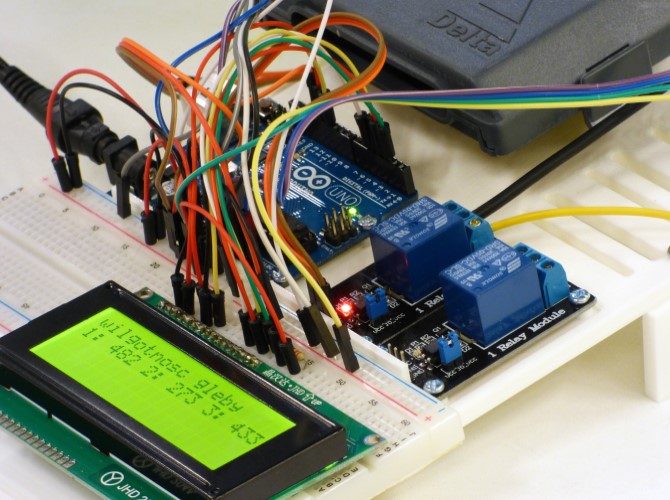
Once you get acquainted with soldering LEDs and making simple repairs, you can start dabbling in harder ventures. Projects involving the versatile Raspberry Pi and Arduino sometimes requires soldering.
You’ll have to have some coding knowledge to deal with theses systems, but at least you’ll have the soldering part covered!
5. Reward Yourself With a Challenge
Soldering isn’t always easy—it can get frustrating to deal with tiny LEDs, a nest of wires, and small circuit boards. You can quickly end up in a cycle of soldering and desoldering just because you keep making a stupid mistake.
When you finally complete your project, you can sit back and admire your work. No matter how simple the project is, it’s always satisfying to finish the job.
Are You Going to Pick Up Soldering?
Like all other hobbies, soldering takes time and patience. It’s a hobby worth picking up if you’re a gaming enthusiast, or if you just want to challenge yourself.
